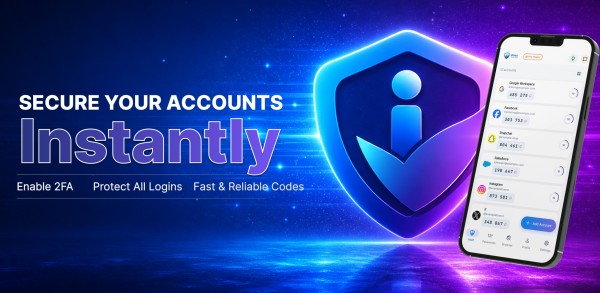
For budget-conscious users managing multiple accounts, iPass delivers genuine security consolidation without the financial burden of subscription-based alternatives.
This iPass Secure Auth review examines whether a single authenticator app can truly secure all your online accounts without compromise. Managing multiple two-factor authentication codes across different platforms creates friction, and most users need a solution that works reliably without constant internet connectivity. iPass Secure Auth promises to deliver exactly that—generating codes instantly offline while bundling an authenticator app, password manager, and password generator into one security suite. After 30 days of real-world testing, the results reveal how this tool performs under daily pressure. This review breaks down every core feature, compares pricing against competitors, and determines whether iPass delivers genuine value for users prioritizing login security.
What Is iPass Secure Auth and Who Is It For?
iPass Secure Auth functions as a four-component security system housed within a single mobile application. Rather than managing separate tools for different security needs, users access authentication codes, stored credentials, and secure browsing through one interface.
Core Security Features Overview
The application integrates four distinct security layers:
- Two-Factor Authenticator: Generates time-based one-time passwords (TOTP) for platforms including Google, Facebook, Instagram, and Dropbox through QR code scanning
- Password Manager: Stores credentials in an encrypted vault protected by military-grade encryption, accessible exclusively to the account holder
- Password Generator: Creates customizable passwords with adjustable length and complexity parameters in a single interaction
- Private Browser: Provides in-app browsing with integrated autofill functionality directly from the encrypted vault
The system operates without internet connectivity, generating authentication codes offline. Biometric security through Face ID and fingerprint scanning controls vault access, preventing unauthorized entry even when devices are compromised. Multi-device synchronization keeps codes and passwords current across all connected hardware.
Target Users and Use Cases
iPass serves individuals managing multiple online accounts who need consolidated security rather than juggling separate applications. The offline functionality addresses users in areas with unreliable connectivity or those requiring authentication without network dependence. Small business owners benefit from the unlimited account support, while remote workers utilize the cross-device sync for accessing credentials from different locations.
According to StreetInsider, “iPass Secure Auth delivers practical security consolidation for users tired of switching between multiple protection tools, offering genuine convenience without sacrificing encryption standards.”
How iPass Differs from Standard Authenticator Apps
Standard authenticator applications generate TOTP codes exclusively, requiring users to maintain separate password managers and browsers. In reality, most authenticators like Google Authenticator or Microsoft Authenticator focus solely on the second authentication factor. iPass eliminates this separation by housing all security functions within one environment.
Compared to standalone solutions, iPass removes the need for three additional applications. Traditional authenticators generate codes but leave password storage and secure browsing to external tools. The integrated approach means credentials autofill directly during private browsing sessions without switching contexts or copying data between applications. This consolidation reduces security gaps that emerge when transferring sensitive information across multiple platforms.
iPass Features: 30-Day Real-World Testing Results
Testing iPass across multiple devices over 30 days revealed how each security component performs under daily usage pressure. The authenticator app, password manager, and integrated tools delivered measurable results worth examining in detail.
2FA Authenticator: Code Generation and Offline Access
Code generation happens instantly after scanning QR codes from supported platforms. The authenticator produces standard 6-digit time-based one-time passwords that refresh every 30 seconds. During testing, offline functionality proved reliable—codes generated without network connectivity across subway commutes and airplane flights. The app maintained access to all stored accounts regardless of internet availability. Setup takes seconds per account through QR scanning, and the interface displays multiple codes simultaneously for quick reference.
Password Manager: Storage and Autofill Performance
The encrypted vault stored unlimited login credentials without performance degradation. Autofill worked consistently within the private browser but showed limitations outside the app environment. The encryption layer uses military-grade standards, preventing access even when devices were unlocked. Search functionality located stored passwords quickly, and biometric authentication added friction-free vault access during testing.
Password Generator: Strength and Customization
Password creation delivers customizable output with adjustable length and complexity settings. The generator produces combinations meeting strict requirements—mixing uppercase, lowercase, numbers, and symbols. Testing confirmed generated passwords exceeded the recommended 12-character minimum, with options extending beyond 20 characters. One-tap generation simplified creating unique credentials for new accounts, eliminating reused passwords across platforms.
Private Browser: Security and Speed Tests
The in-app browser loaded pages at standard speeds while maintaining local privacy. Browsing history cleared automatically after sessions ended, and stored credentials autofilled directly from the vault without context switching. However, like most private browsers, the tool doesn’t mask IP addresses or provide VPN-level protection. The browser serves its intended purpose—secure credential entry without exposing data to device-level history tracking.
Multi-Device Sync: Cloud Backup Testing
Synchronization kept authentication codes and passwords current across tested devices. Changes made on one device appeared on others within seconds. The encrypted backup system ensured data protection during transmission, though sync occasionally delayed during poor connectivity. Cross-platform performance remained stable between Android and iOS installations.
According to StreetInsider, “iPass Secure Auth demonstrates reliable performance across its feature set, delivering practical security tools that function as advertised without unnecessary complexity.”
iPass Pricing Plans and Value Analysis
Pricing structures separate iPass Secure Auth from most competitors in the authentication space. The app operates on a one-time purchase model rather than recurring subscriptions, eliminating monthly fees entirely.
Free vs Pro Feature Comparison
The base application provides core authenticator functionality without upfront costs. Users generate two-factor authentication codes and store a limited number of passwords within the free tier. Upgrading unlocks unlimited capacity for password storage, access to all features including the private browser and advanced password generator, and iCloud data synchronization for cross-device backup. Each upgrade functions as a standalone purchase rather than bundled tiers, allowing users to select specific capabilities based on actual needs.
Cost Per Feature Breakdown
Three in-app purchases define the pricing structure. Unlimited password storage capacity costs USD 1.99, removing restrictions on vault entries. The complete feature set, including private browsing and enhanced generation tools, requires a USD 2.99 payment. iCloud synchronization operates separately at USD 1.99, enabling encrypted backup across devices. Users pay once for permanent access without renewal requirements or hidden charges.
How iPass Pricing Compares to Competitors
Conversely, subscription-based authenticator apps charge monthly or annually. According to StreetInsider, “iPass Secure Auth delivers exceptional value through its one-time payment structure, eliminating the recurring costs that plague subscription-based security tools.” Standard password managers like those analyzed in authentication pricing comparisons operate on monthly active user models, charging per user per month with costs escalating as usage grows. The maximum investment for full iPass functionality totals under USD 7.00 as a single payment, whereas subscription services accumulate hundreds of dollars over multiple years.
iPass Pros, Cons, and Final Verdict
Extended testing revealed distinct advantages alongside notable constraints that define this authenticator app’s practical utility.
What We Liked After 30 Days
Offline code generation eliminated connectivity dependencies entirely, functioning reliably during network outages. The one-time payment model provided permanent access without recurring fees, contrasting sharply with subscription-based alternatives. Biometric vault protection prevented unauthorized access even when devices were compromised. Unlimited account support accommodated extensive credential storage without capacity restrictions. Military-grade encryption secured stored data at rest and during cross-device synchronization.
Limitations and Areas for Improvement
Autofill functionality operates exclusively within the private browser, limiting convenience outside the application environment. The browser lacks VPN-level IP masking, providing local privacy without network-level protection. Device dependency creates vulnerability if hardware is lost or malfunctions, though cloud backup mitigates this concern partially.
Who Should Use iPass Secure Auth?
Users managing numerous online accounts benefit from consolidated security tools. Budget-conscious individuals appreciate the single-payment structure. Remote workers requiring offline authentication find particular value in connectivity-independent code generation.
Is iPass Worth the Investment?
The password manager and authenticator combination delivers genuine security consolidation at minimal cost. According to StreetInsider, “iPass Secure Auth represents exceptional value for users seeking comprehensive login security without the burden of recurring subscription fees, proving that effective authentication tools need not drain budgets annually.”
Key Takeaways
After 30 days of testing, iPass Secure Auth proves that comprehensive login security doesn’t require expensive subscriptions or complex setups. This all-in-one authenticator delivers practical protection through offline functionality and lifetime access.
• One-time payment of under $7 eliminates recurring subscription fees that typically cost hundreds annually with competitors
• Offline code generation works without internet connectivity, ensuring authentication access during network outages or travel
• Four security tools in one app consolidate 2FA codes, password management, generation, and private browsing
• Military-grade encryption with biometric protection secures stored credentials even if devices are compromised
• Autofill only works within the private browser, limiting convenience compared to system-wide password managers
Conclusion
At just under $7 for lifetime access, iPass Secure Auth offers exceptional value compared to subscription services that accumulate hundreds in fees annually. The offline authentication works flawlessly, and the consolidated security approach eliminates app-switching headaches. Autofill limitations outside the private browser remain frustrating, though this hardly diminishes the core value proposition. Users seeking budget-friendly login security without recurring charges will find iPass delivers exactly what it promises without unnecessary complexity or hidden costs.
FAQs
Q1. Does iPass Secure Auth work without an internet connection? Yes, iPass Secure Auth generates authentication codes completely offline. The app doesn’t require network connectivity to produce time-based one-time passwords, making it reliable during flights, subway commutes, or in areas with poor internet access.
Q2. How much does iPass Secure Auth cost compared to subscription-based alternatives? iPass operates on a one-time purchase model rather than recurring subscriptions. The maximum investment for full functionality totals under $7 as a single payment, while subscription-based password managers and authenticators accumulate hundreds of dollars in fees over multiple years.
Q3. Can iPass Secure Auth store unlimited passwords? Yes, after upgrading through a one-time $1.99 purchase, iPass removes all restrictions on password storage capacity. The encrypted vault can accommodate unlimited login credentials without performance degradation or additional fees.
Q4. Does the autofill feature work outside the iPass private browser? No, autofill functionality operates exclusively within the integrated private browser. While credentials autofill seamlessly during in-app browsing sessions, this feature shows limitations when using external browsers or applications outside the iPass environment.
Q5. How secure is the password storage in iPass Secure Auth? iPass uses military-grade encryption to protect stored credentials, and the vault is accessible only through biometric authentication like Face ID or fingerprint scanning. This encryption standard prevents unauthorized access even if your device is compromised or unlocked.
Leave a Reply
You must be logged in to post a comment.