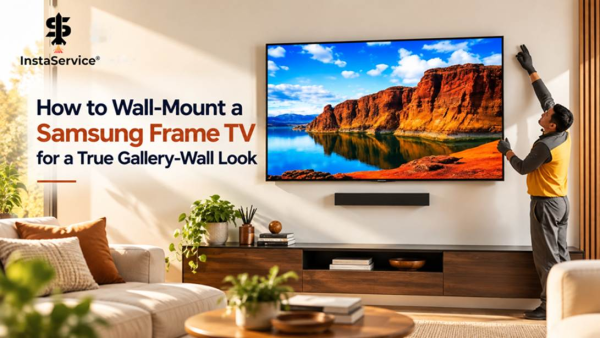
Samsung’s The Frame is designed to do something most televisions don’t; and that is to look like a piece of art, even when you’re not watching it. That makes it an attractive choice for living rooms where a large black screen might feel out of place.
Getting that look right, however, takes more than putting the TV on the wall. A Frame TV that sits too far forward, hangs at an awkward height, or has cables running beneath it can still look like a regular television. The TV mounting service, placement, and cable management all play a part in the finished result.
If you’re planning to buy a Samsung Frame TV, it’s worth thinking through these details before the TV arrives.
Choose a Mount That Keeps the TV Close to the Wall
One of the main reasons people choose The Frame is its picture-frame appearance. A bulky mounting bracket can take away from that effect by leaving the screen noticeably separated from the wall.
Samsung offers slim wall-mounting hardware for compatible Frame models. Check the specifications for your exact television before purchasing a separate bracket, as the included hardware and mounting requirements can vary by model and screen size.
A standard tilting or articulating mount may be useful if you need to adjust the viewing angle or access the back of the TV regularly. However, these mounts generally extend farther from the wall than a slim, close-fitting option. If a gallery-style finish is your priority, that difference is worth considering.
The wall surface matters, too. Even with the correct mounting hardware, uneven plaster or a wall that isn’t flat can leave visible gaps around the screen. Check the surface before installation so you know what to expect.
Find the Right Height Before You Start Drilling
It’s tempting to position a Frame TV at the same height as the artwork in a gallery. But a television also needs to be comfortable to watch.
Start by deciding where the screen will go in relation to your sofa, media console, or other furniture. Use painter’s tape to mark the approximate dimensions on the wall. Sit in your usual viewing position and check whether the proposed placement feels natural.
Pay particular attention to the height. A screen mounted too high may look balanced on the wall but become uncomfortable during a film or a long evening of television. The right position depends on your seating, screen size, and viewing distance, so it’s better to test it in the room than rely on a fixed measurement.
If you’re mounting the TV above a console, measure the gap between the furniture and the bottom edge of the screen. A deliberate amount of space can make the arrangement look neat without making the TV feel disconnected from the furniture beneath it.
Think about lighting while you’re choosing the spot. Windows and overhead lights can create reflections on the screen, even when it’s displaying artwork. Check the wall at different times of day before committing to the position.
Decide Where the Cables and Connection Box Will Go
Cable management is easy to overlook when planning a TV installation, but visible wires can take away from the clean, gallery-style look. Hiding extra TV cables helps keep the area around the TV neat and uncluttered.
Depending on the model, Samsung’s The Frame uses a separate connection box for external devices. This helps keep the connections away from the screen itself, although you’ll still need to decide where the box will sit and how its cables will reach the television and power source.
A surface-mounted cable cover is often a straightforward option. It conceals wires without requiring extensive changes to the wall and can be painted to blend with the surrounding surface, where appropriate.
For a more seamless finish, some homeowners prefer in-wall cable routing. This needs to be planned carefully. Ordinary power cords should not simply be run inside a wall. Use an approved in-wall power solution that meets applicable electrical requirements, and consult a qualified professional if you’re unsure what your installation needs.
Leave some thought for future changes, too. You may want to connect a gaming console, replace a streaming device, or access the connection box later. A tidy installation should make those tasks manageable rather than turn them into another project.
Make the TV Look at Home With Your Decor
Once the practical decisions are sorted, you can think about how The Frame will fit into the room.
The available bezel options depend on the model, but the right finish can help the television sit more naturally alongside your existing furniture. A wood-look frame may work well with timber finishes, while a darker bezel can suit a room with more understated decor.
Choosing the artwork is just as important. A large, colourful image might work in a room with neutral walls, while a quieter landscape or abstract print may feel more appropriate in a space with patterned textiles and several decorative elements. You can also choose artwork that picks up colours already present in the room.
You don’t necessarily need to surround the television with additional pictures. If the wall is narrow or the furniture beneath it is already a focal point, leaving the surrounding space relatively clear may look better. In a larger room, a few carefully positioned frames can help the television become part of a wider gallery wall.
Before hanging anything else, lay out the arrangement on paper or mark the proposed positions on the wall. It’s much easier to adjust the spacing at this stage than after you’ve made several sets of holes.
Check the Wall Before Mounting the TV
The mounting process depends on the type of wall you’re working with. Drywall over timber framing, brick, and concrete each require appropriate fixings and a mounting method suited to the wall construction and the television’s weight.
For drywall installations, identify the framing and follow the mounting hardware manufacturer’s instructions. Don’t assume that ordinary drywall anchors will provide adequate support for a television simply because they fit the mounting holes.
Before drilling, check for concealed electrical wiring and plumbing. Measure the mounting points against the instructions for your specific TV and bracket, then double-check the level and position.
It’s also worth considering the size of the television and how it will be lifted into place. Larger screens can be awkward to handle while keeping them aligned with the mounting hardware. If you aren’t familiar with the wall construction or can’t confidently manage the installation, getting professional help is a sensible option.
Taking the time to check these details beforehand can save you from having to reposition the mount or repair unnecessary holes later.
Buying a Samsung Frame TV During Black Friday
Black Friday deals can make The Frame more affordable, but the price on the product page doesn’t always tell the whole story.
Start by checking the exact model number and screen size. Compare the specifications, included accessories, and return policy rather than assuming that two similar-looking listings are identical.
Then account for the installation. You may need additional mounting hardware, a cable management solution, or professional help, depending on your wall and the finish you’re after. Including these costs in your budget gives you a more realistic idea of what the tv mounting will cost.
If you’re planning for TV mounting service as soon as it arrives, confirm the mounting requirements before ordering. It’s a small step that can prevent delays and avoid buying hardware that isn’t suitable for your model.
Getting the Gallery-Wall Finish Right
A Samsung Frame TV can look very different depending on how it’s installed. A close fit against the wall, a comfortable viewing height, and neatly managed cables all contribute to the result. The surrounding furniture and artwork help, but the basic installation needs to work first.
If you’re not comfortable locating wall supports, choosing suitable fixings, or lifting the television into place, a professional can help with the mounting and positioning. InstaService connects homeowners with independent service professionals for TV mounting and other home installation tasks.
Planning the setup before drilling makes the job easier and helps avoid compromises once the screen is on the wall. The goal is simple: a television that’s comfortable to watch and looks just as natural in the room when it’s displaying artwork.
Disclaimer:
This article is for informational purposes only and does not constitute financial advice. Cryptocurrency investments carry risk, including total loss of capital.
All market analysis and token data are for informational purposes only and do not constitute financial advice. Readers should conduct independent research and consult licensed advisors before investing.
Crypto Press Release Distribution by BTCPressWire.com
Leave a Reply
You must be logged in to post a comment.